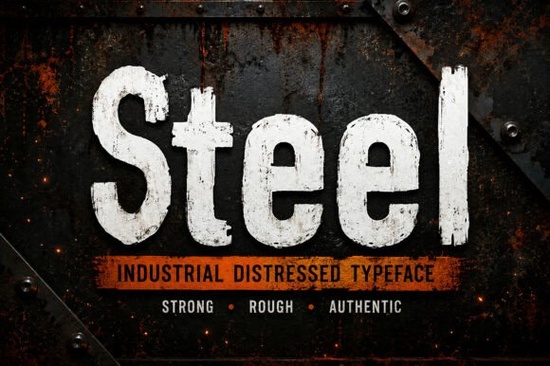
If you need a typeface that instantly communicates strength and raw craftsmanship, the Steel Font delivers exactly that. This industrial distressed display font mimics weathered metal, worn factory signs, and heavy-duty machinery. Instead of relying on manual texture overlays or third-party filters, the font bakes a high-quality distressed effect directly into each character. You get consistent, print-ready results without extra editing steps.
What makes this typeface different from standard display fonts?
Most bold fonts require you to add grunge textures in your design software. With this typeface, the worn look is already built into the letterforms. The uppercase and lowercase characters share a heavy, blocky structure, but subtle variations in the rough edges keep the text from feeling repetitive. You also get full numbers, punctuation, and multilingual support, which helps when designing packaging or signage for broader markets. The included OTF, TTF, and WOFF files cover desktop work and web embedding, so you are not locked into one platform.
Which projects actually benefit from a rugged, weathered look?
Industrial and vintage aesthetics work best when the subject matches the tone. This font shines on construction logos, workwear branding, tool packaging, and outdoor merchandise. Print-on-demand sellers often use it for t-shirt graphics and sticker designs that target tradespeople or fans of retro factory art. It also performs well on book covers for thrillers or historical fiction, where a heavy title needs to grab attention quickly. For social media banners, the thick strokes stay readable even on busy backgrounds.
When you want to explore other display styles for different moods, you might browse a retro-inspired lettering collection for softer heritage projects, or check a playful heavyweight typeface when your audience skews younger. Switching between rugged and lighthearted fonts keeps your brand portfolio fresh.
How do I install the files and avoid common formatting issues?
Installation is straightforward. Extract the zip folder, then double-click the OTF or TTF file to install on Windows or Mac. The WOFF version is reserved for web use and should be uploaded through your site’s theme editor or CSS stylesheet. Restart your design software so the font appears in your menu. When setting text, keep the tracking tight. The distressed edges already create visual weight, so extra letter spacing can make words look disconnected. Use solid, high-contrast backgrounds. Dark charcoal or deep olive tones make the wear marks pop, while pure white can sometimes wash out finer details.
If you are preparing files for print, convert your text to outlines before sending them to a vendor. This prevents missing font errors and preserves the exact distress pattern. For digital projects, test the WOFF file across mobile views to ensure the texture stays crisp.
What should I pair it with for clean, readable layouts?
Heavy display fonts need breathing room. Pair this typeface with a simple sans-serif for body copy and disclaimers. The contrast between a rough headline and smooth supporting text keeps your layout from feeling overwhelming. When you need a softer counterpoint for lifestyle branding, a friendly two-style font family can balance the industrial edge nicely. For handmade crafts, you might experiment with a whimsical display option to create intentional contrast. If you are building a futuristic campaign, a modern geometric typeface will keep the overall design sharp.
You can preview the full character set and licensing details for the Steel Font directly on the marketplace before adding it to your toolkit.
Are there any limitations I should know about before buying?
Distressed fonts are not ideal for long paragraphs or small legal text. The texture that makes headlines stand out will reduce readability below 14pt. Stick to short titles, logos, badges, and accent phrases. Also, remember that the worn effect is fixed. If you need a clean version of the same letterforms for a minimalist layout, you will need a separate untextured font. The included help file covers basic troubleshooting, but most designers will find the setup requires no extra steps.
Quick setup checklist before you start designing:
- Extract the downloaded folder and install the OTF or TTF file for your operating system
- Restart your design program so the font loads correctly
- Set headlines between 36pt and 120pt for optimal texture visibility
- Pair with a clean sans-serif for body text and contact details
- Convert text to outlines before sending print files to a vendor
- Test contrast on dark versus light backgrounds to preserve the distressed details
Save this list in your project folder, run a quick test print, and you will have a rugged, professional layout ready for production.
Try It Free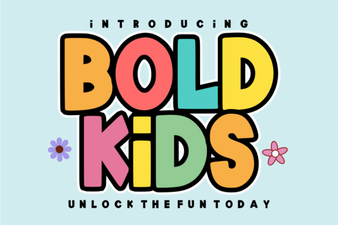 Bold Fonts for Kids: Creative Projects & Design Ideas
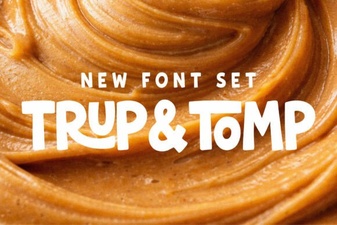 Typography Projects: Using the Trup & Tomp Font
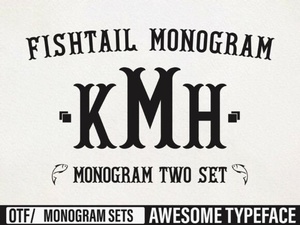 Craft Elegant Projects with Fishtail Monogram Font
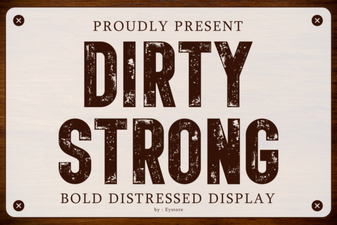 Clean and Strong: the Power of Bold Font Design
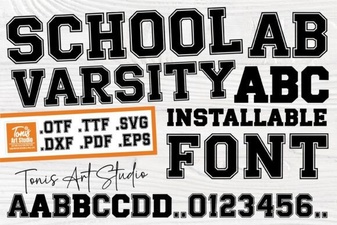 Varsity Font: Design & Projects for School Spirit
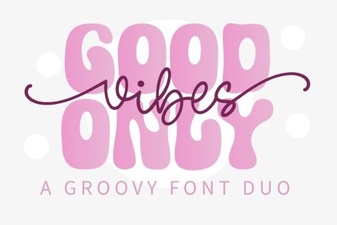 Perfect Pair: Good Vibes Only Duo Font for Your Design Projects