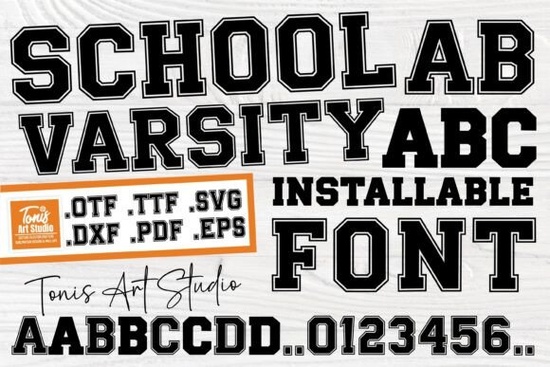
If you need a lettering style that captures a classic athletic feel without looking outdated, the School Varsity Font delivers exactly what crafters and print-on-demand sellers look for. It pairs bold, outlined uppercase characters with clean, solid lowercase letters, giving you a balanced typeface that works well on team apparel, classroom decorations, and event posters. Instead of forcing a single heavy weight onto every line, this design lets you mix visual weight naturally, which keeps your layouts readable and professional.
What makes the outlined and solid letter combination useful?
Most varsity-style typefaces rely entirely on thick, blocky shapes that can quickly overwhelm a design. This font takes a different approach. The uppercase letters carry a sporty outline that draws attention to headlines, while the lowercase characters remain solid and straightforward. When you type longer product descriptions, the solid lowercase section keeps the text grounded and easy to scan. This contrast is especially helpful when arranging text on curved surfaces like t-shirt chests, coffee mugs, or rounded stickers, where heavy outlines can sometimes blur or overlap.
Which file formats work with cutting machines?
The download includes standard font files for desktop installation, along with dedicated cut file formats that integrate smoothly with popular crafting machines. If you use a Cricut or Silhouette device, you will find ready-to-cut vectors that eliminate manual tracing. This is a practical advantage for small business owners who produce vinyl decals, heat transfer shirts, or layered paper crafts on a tight schedule. You can also import these vectors directly into Illustrator or Affinity Designer to create layered mockups before sending them to production.
- Install the font files directly into your system folder for use in Photoshop, Illustrator, Canva, or InDesign.
- Import the cut files into your machine software to skip weeding guesswork and reduce material waste.
- Test a small sample cut first to confirm blade pressure before running a full batch.
Where does this lettering style perform best?
Because the design leans into a traditional academic aesthetic, it fits naturally on school merchandise, club event posters, and seasonal fundraiser items. Print-on-demand sellers often use it for back-to-school collections, team spirit wear, and graduation party supplies. The clean geometry also translates well to digital storefront banners and printable wall art. When preparing files for POD platforms, remember to outline your text or embed the font to prevent rendering errors during the upload process.
If you are building a broader font library, you might pair this sporty display style with softer handwritten options like those found in playful marker typefaces or experiment with retro display lettering such as vintage-inspired headings. When your project calls for heavier impact, you can contrast it with bold block lettering, or balance it using rugged sans serif alternatives. For a more relaxed feel, many crafters combine athletic fonts with friendly script and sans combinations to soften the overall layout.
How do you get the most out of this typeface?
Working with outlined letters requires a few simple adjustments. First, give the uppercase characters enough breathing room. Tight kerning can cause the outlines to merge, especially when scaled down for tags. Second, choose high-contrast background colors. Dark outlines pop best on light or mid-tone surfaces, while solid lowercase text remains readable on almost any shade. Finally, avoid stretching the font horizontally or vertically. Distorting the proportions will thin out the strokes and weaken the classic structure. If you plan to use this typeface for embroidery digitization, increase the letter spacing slightly to accommodate thread thickness.
You can explore more options and check current licensing details for the School Varsity Font directly through the marketplace. Always review the commercial license terms before listing finished products.
Quick setup checklist before you start designing
- Install the font files and restart your design software to ensure proper loading.
- Type a test line using both cases to verify the outline-to-solid ratio.
- Adjust letter spacing slightly if you notice overlapping strokes on curved paths.
- Export a small test cut to check edge clarity on your chosen material.
- Confirm your license covers the intended use, whether for personal crafting or online sales.
Once you run through these steps, you will have a reliable, production-ready typeface that handles everything from quick weekend crafts to steady small-business inventory. Keep your file folders organized, save your preferred color palettes, and you can reuse this lettering style across multiple seasons without starting from scratch.
Explore Design Bold Fonts for Kids: Creative Projects & Design Ideas
 Typography Projects: Using the Trup & Tomp Font
 Craft Elegant Projects with Fishtail Monogram Font
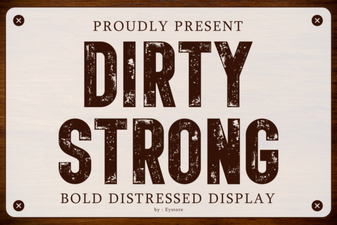 Clean and Strong: the Power of Bold Font Design
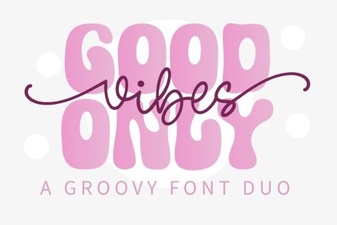 Perfect Pair: Good Vibes Only Duo Font for Your Design Projects
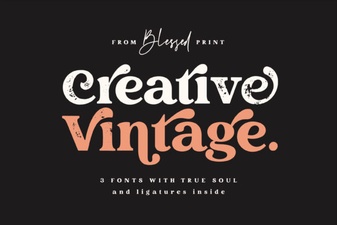 Craft Your Project with Vintage Font Creativity