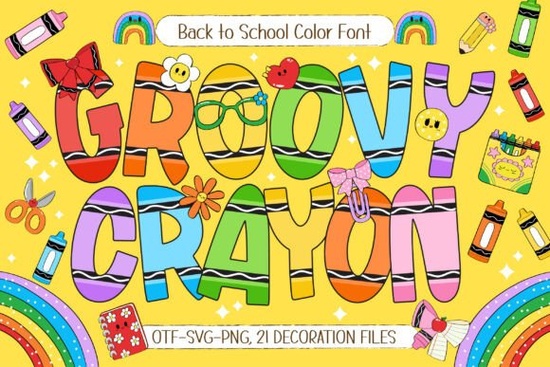
If you need a quick way to add a handmade, classroom-ready feel to your designs, the Groovy Crayon Font delivers exactly that. It is a hand-drawn color typeface built for back-to-school materials, kids’ activities, and lighthearted craft projects. Instead of layering textures manually, you get bold letters with built-in crayon details, seven color variations, and twenty-one matching school doodles. This saves time while keeping your layouts looking fresh and intentionally crafted.
What makes this font work for classroom and kids’ projects?
The main advantage is the baked-in color and texture. Standard fonts require manual fills or overlays to achieve a crayon look, but these letters print exactly as they appear on screen. The bold weight stays readable on posters and worksheets, while the playful accents keep the tone light. Teachers and parents creating learning materials often prefer designs that feel approachable, and the hand-drawn style hits that mark without sacrificing clarity.
How do the color variations and clipart save time?
You get seven distinct palettes, which is enough to match seasonal themes or classroom branding without guessing at hex codes. The included school-themed doodles work well as bullet points, corner accents, or spacing elements. When assembling teacher resources, party invitations, or scrapbook layouts, having matching icons already scaled to the font weight removes the guesswork from visual hierarchy. If you enjoy mixing playful typefaces for different craft themes, you might also want to browse other cheerful lettering options for classroom and party projects to keep your design library versatile.
Which software handles color fonts properly?
Color fonts behave differently than standard OTF files. They typically use OpenType-SVG or COLR formats, so you need modern design software to see the full effect. Adobe Photoshop, Illustrator, and InDesign support these natively. Free tools like Canva or cutting software like Cricut Design Space may only show the black-and-white outline unless you import the included PNG or SVG alternatives. Always test a single line of text before committing to a full layout. For a closer look at how this typeface renders across different programs, you can preview the Groovy Crayon Font on the marketplace before downloading.
Where can you use it in print-on-demand or small business designs?
This lettering style fits naturally into products targeting parents, teachers, and kids. The bold strokes hold up well on fabric, making it a reliable choice for T-shirts, tote bags, and pencil cases. Because the colors are already balanced, you avoid banding or dull prints with direct-to-garment or sublimation methods. Sticker sheets, lunchbox labels, and classroom name tags also benefit from the clear letterforms. When building a seasonal shop update, having a consistent visual theme helps customers recognize your brand. You can explore how this specific crayon-style lettering set fits into your current catalog by checking the full preview and licensing details before adding it to your workflow.
What should you watch out for when designing with it?
Color fonts are visually strong, so they need room to breathe. Avoid pairing them with other decorative typefaces. A clean sans-serif for body text keeps layouts readable. Heavy ink coverage can sometimes cause smudging on certain paper stocks, so choose matte cardstock and let prints dry before cutting. For digital products, export at 300 DPI and verify your color profile matches the intended output.
Quick setup checklist before you start designing
- Install the correct format: Use the OpenType-SVG or COLR version for full color, or fall back to PNG/SVG if your software does not support color fonts.
- Test readability: Type a full sentence at your intended print size to ensure the doodle details do not blur together.
- Pair wisely: Stick to one decorative font per layout and use a neutral typeface for longer instructions or disclaimers.
- Check licensing: Confirm whether your project falls under personal, commercial, or POD use, and keep your license file organized.
- Export carefully: Flatten layers only after proofreading, and save a working file with editable text for future updates.
Start with a simple one-page project to see how the color variations interact with your background choices. Once you are comfortable with the spacing and file behavior, you can scale up to full product lines or seasonal craft bundles.
Explore Design Inspire Unique Friendship Bracelet Designs
 Bold Fonts for Kids: Creative Projects & Design Ideas
 Monarch Heritage Font for Your Design Projects
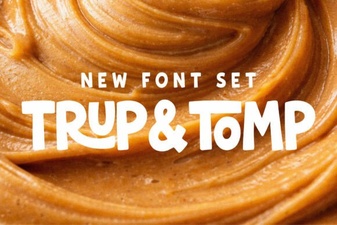 Typography Projects: Using the Trup & Tomp Font
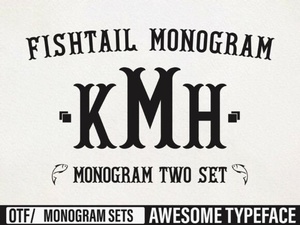 Craft Elegant Projects with Fishtail Monogram Font
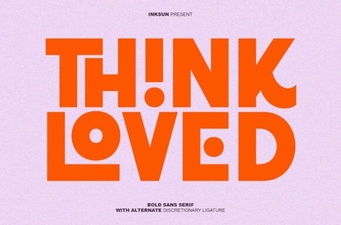 Think Loved Font: Perfect for Personal and Creative Projects