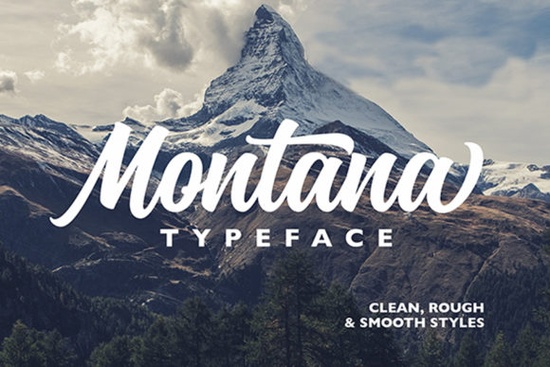
If you are looking for a thick, cursive typeface that feels both confident and nostalgic, Montana Font delivers exactly that. Designed with bold handwritten strokes and smooth connecting letters, it works especially well for headlines, logotypes, and branding projects that need a personal touch. Whether you run a print-on-demand shop, design wedding invitations, or create social media graphics for a small business, this script style gives your layouts a handmade feel without sacrificing readability.
What makes this cursive style stand out for design projects?
Montana Font leans into a heavy, brush-like aesthetic that reads strong and dynamic. The thick letterforms create visual weight, which helps your main message grab attention quickly. At the same time, the cursive flow keeps the overall mood warm. You will notice subtle variations in stroke width that mimic real pen pressure, giving each word a crafted quality. This balance makes it a reliable choice for:
- Brand logos that need a signature-like presence
- Product packaging and labels for handmade goods
- Apparel designs and print-on-demand quotes
- Social media headers and promotional banners
Because the characters are intentionally substantial, the font performs best at larger sizes. Thin scripts often disappear on mobile screens, but this heavier style holds up well across digital and print formats.
How do I access the swashes and special characters?
One of the most practical features is that Montana Font comes fully PUA encoded. This means you do not need professional design software to reach the extra glyphs, alternates, and decorative swashes. Programs like Cricut Design Space, Silhouette Studio, Canva, and standard word processors can display the full character set once installed correctly.
To get the most out of the extra elements, try these steps:
- Install the OTF or TTF file, then restart your design application.
- Open the character map or glyph panel to preview available swashes.
- Test different letter combinations to see how connecting strokes adapt.
- Use beginning and ending alternates sparingly so your text stays readable.
If you enjoy experimenting with different script styles, you might also want to browse a friendly collection of handwritten typefaces that pair well with bold display fonts. For a more relaxed vibe, checking out a casual handwriting selection can give you lighter alternatives when you need something less heavy.
Where does this handwritten style work best?
Thick cursive fonts shine when they have room to breathe. Use Montana Font for short phrases, brand names, or accent lines, then pair it with a clean sans serif for longer paragraphs. This contrast keeps your layout balanced and prevents the design from feeling crowded.
Small business owners often use this style for boutique branding, coffee shop menus, and craft market signage. Print-on-demand sellers find it reliable for quote-based t-shirts and mug designs because the thick strokes print clearly on fabric and ceramic surfaces. If you are building a cohesive brand identity, you can explore a matching font duo that combines a script with a complementary text font for consistent branding.
When you want to keep exploring similar aesthetics, looking through a curated script font gallery can help you compare stroke weights. You might also enjoy testing a vintage-inspired script if your project leans toward retro themes.
What should I know before downloading?
Before adding any typeface to your toolkit, check licensing, file formats, and software compatibility. Montana Font typically includes standard desktop files that work on both Windows and Mac. Make sure your intended use aligns with the license terms, especially if you plan to sell physical products or client work. Most creative marketplaces offer clear commercial licenses, but reading the details saves time later.
You can view the latest licensing details and file options for Montana Font directly on the marketplace. Always download from official sources to guarantee you receive the complete glyph set and proper kerning.
Quick setup checklist before you start designing
- Verify the license covers your intended use (personal, commercial, or POD).
- Install the font files and restart your software to avoid missing glyphs.
- Test the typeface at your final output size to check readability.
- Pair the script with a neutral supporting font for body text.
- Export a print-ready proof to confirm stroke thickness translates well.
Start with a simple mockup, adjust your letter spacing if needed, and let the natural flow of the handwriting style do the heavy lifting. Once you see how the thick cursive strokes interact with your layout, you will know exactly where it fits in your workflow.
Get Started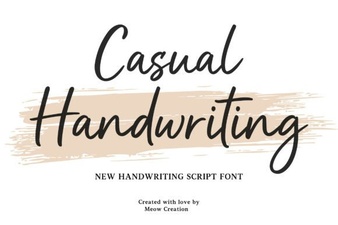 Casual Fonts for Creative Projects & Everyday Use
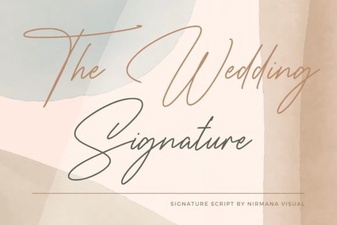 A Modern Font for Wedding Invitations & Stationery
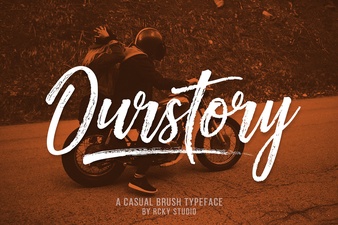 Ourstory Font Duo: the Perfect Pair for Creative Design
 Lucky Font Styles for Creative Design Projects
 Shina Qatline: a Font for Creative Arabic Design
 California Font Design for Modern Projects