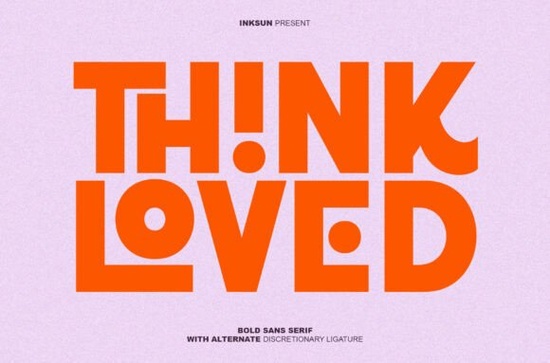
If you need a typeface that grabs attention without shouting, the Think Loved Font delivers exactly that. It is a heavy geometric sans serif built around clean lines, circular cutouts, and interlocking letterforms that turn simple words into visual statements. Designers, print-on-demand sellers, and small business owners often look for display fonts that hold up at large sizes while staying readable. This one balances ultra-thick strokes with thoughtful negative space.
What makes this typeface stand out from other bold sans serifs?
Most heavy fonts rely on sheer width to make an impact. Think Loved uses alternate discretionary ligatures and geometric precision instead. The circular cutouts inside characters keep the letterforms from feeling blocky. When you enable ligature settings in your design software, certain character pairs automatically snap together or overlap. This removes the guesswork from custom lettering and speeds up your layout process.
The font sticks to a minimalist structure with consistent stroke weight and tight spacing. It works best for short headlines, logo lockups, and social graphics. If you are browsing geometric sans serif styles for a new project, you will notice how the clean architecture keeps your layout grounded.
Where does it work best in real projects?
Heavy display fonts struggle in long paragraphs, and this one is no exception. It is designed for short, high-impact text. Here are the spaces where it performs reliably:
- Apparel graphics: Bold shapes print cleanly on cotton and fleece without losing detail.
- Digital ads: High-contrast layouts benefit from thick strokes and built-in negative space.
- Brand marks: Interlocking ligatures give logos a custom feel without extra illustration work.
- Video thumbnails: The font stays legible even when scaled down for mobile screens.
Pair it with a light sans serif for body copy. The contrast between heavy headlines and clean supporting text keeps hierarchy clear. Some designers also like testing stencil-inspired alternatives when they want a rugged texture alongside smooth geometry.
How do you activate the special ligatures?
Alternate characters do not always turn on by default. You will need to enable OpenType features to see the interlocking pairs:
- Adobe apps: Open the OpenType panel and select “Discretionary Ligatures.” Highlight pairs to preview alternates.
- Canva: Upload the font file and check the ligature toggle. Browser-based editors may not render all automatic alternates.
- Craft cutters: Cricut and Silhouette do not support automatic ligatures. Use a font manager to swap characters manually before importing.
If you want to verify the full character set before starting a layout, you can preview Think Loved on the marketplace to check spacing and weight.
What should you watch out for when using heavy display fonts?
Thick typefaces can overwhelm a design if you ignore spacing and contrast. Keep these practical points in mind:
- Watch your tracking: Tight spacing works for short words, but increase it slightly for longer headlines.
- Stick to one or two lines: This font loses impact when stretched across multiple sentences.
- Test print sizes: Ink spread on dark garments can fill in circular cutouts. Run a small test print first.
- Check licensing: Verify that your license covers merchandising and client work before selling products.
Ready to put it to work?
Before you finalize your layout, run through this quick checklist:
- Enable discretionary ligatures in your software
- Limit usage to headlines or short phrases
- Pair with a neutral, lightweight sans serif for details
- Increase tracking if words feel too cramped
- Export a test file at actual size to verify cutout clarity
Adjust your spacing, confirm your license covers the intended use, and save your project with the font outlined. This keeps your files stable and ready for production.
Download Now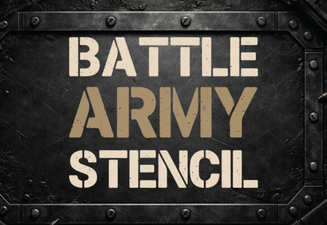 Battle Stencil Fonts: Military Design for Creative Projects
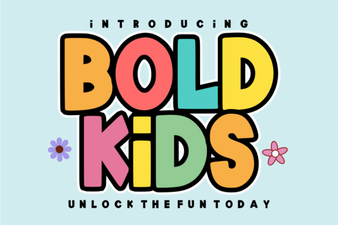 Bold Fonts for Kids: Creative Projects & Design Ideas
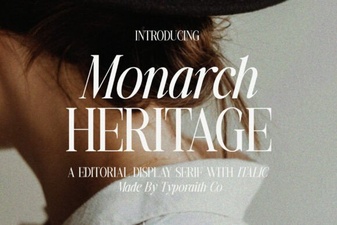 Monarch Heritage Font for Your Design Projects
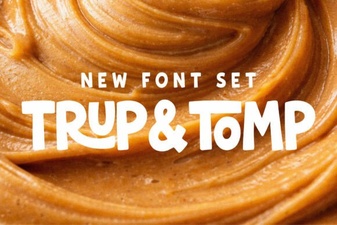 Typography Projects: Using the Trup & Tomp Font
 Craft Elegant Projects with Fishtail Monogram Font
 Casual Fonts for Creative Projects & Everyday Use