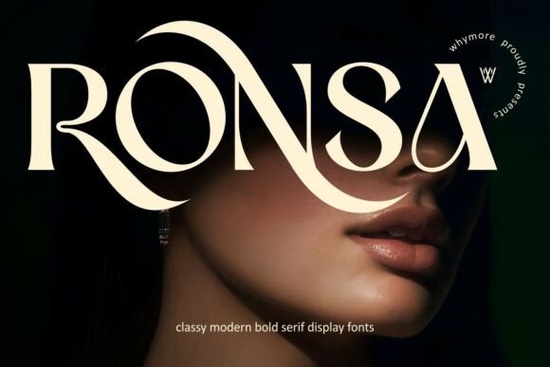
If you need a typeface that commands attention without feeling heavy, Ronsa Font delivers exactly that balance. This modern bold serif combines high-contrast strokes with refined curves, making it a reliable choice for designers, small business owners, and print-on-demand sellers who want a polished, high-end look. Whether you are drafting a luxury logo, laying out a magazine spread, or creating packaging for a handmade product, the strong structure keeps your message clear and readable.
What makes this serif typeface work so well for premium projects?
The design relies on thick vertical stems paired with delicate horizontal lines, a classic approach that reads as both modern and timeless. The curves avoid sharp corners, keeping the tone approachable. At larger sizes, distinctive details in characters like the uppercase R and S become visible, giving your layout quiet confidence. For boutique brands, that subtle sophistication translates to better perceived value on product tags, business cards, and social media graphics.
Where should you use it in your daily workflow?
Bold serifs thrive when they have room to breathe. This typeface performs best in headlines, short titles, and branding marks where you want immediate visual impact. It handles both digital screens and printed materials smoothly, so you can move from a website banner to a physical label without losing clarity. If you run a print-on-demand shop, try it on tote bags or art prints where a single strong phrase carries the design. When you need a slightly softer alternative for body copy, browsing through our curated serif collection can help you find a matching weight that maintains readability at smaller sizes.
How do you pair it without creating visual clutter?
Since the headline font already carries strong personality, your secondary typeface should step back. A neutral geometric sans serif or a light humanist sans works nicely for paragraphs and captions. If you prefer staying within the serif family, look for a typeface with lower contrast. For example, when you want a playful yet refined combination, testing a lighter serif option alongside your bold title can create a nice rhythm across the page. Alternatively, if your project leans toward heritage branding, a traditional serif companion will ground the layout and keep the tone consistent.
Keep these pairing rules in mind:
- Limit your design to two typefaces maximum.
- Use the bold serif for headings, logos, and short quotes only.
- Reserve lighter weights and simpler fonts for body text.
- Check spacing at different sizes to avoid crowded letters on mobile.
What technical details should you verify before downloading?
Most professional font packages include OpenType and TrueType files, which work across Windows, Mac, and popular design software like Adobe Illustrator, Canva, and Cricut Design Space. Before you install, confirm that the license covers your intended use. Personal projects usually require a basic license, while client work and commercial listings need a commercial license. You can review the full licensing terms and file formats for Ronsa Font on the official product page to avoid compliance issues later.
Installation is straightforward. Unzip the folder, locate the .otf or .ttf files, and double-click to install. Restart your design program if the typeface does not appear immediately. For cutting machines, convert your text to outlines before sending the file to your software, which prevents missing glyph errors and keeps your cuts clean.
How can you get the most out of this typeface today?
Start by testing your brand name in uppercase and title case. Adjust the tracking slightly wider for a more editorial feel, or tighten it carefully for a compact logo mark. Print a quick proof on standard paper to check how the high-contrast strokes render with your printer. If the thin lines disappear, increase the font size or switch to a heavier paper stock. Digital mockups should be viewed at full zoom to catch any spacing quirks before publishing.
Keep this quick checklist handy before you finalize any design:
- Verify the license matches your commercial or personal use.
- Install both OTF and TTF files if your software prefers one format.
- Test readability at the smallest size your project requires.
- Pair with a simple secondary font and limit decorative elements.
- Export a print-ready PDF with embedded fonts or outlined text.
Follow these steps to keep your typography intentional and customer-ready. Save your favorite pairings in a simple brand sheet, then reuse them across future campaigns to maintain a consistent visual identity.
Get Started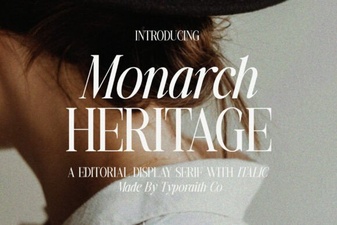 Monarch Heritage Font for Your Design Projects
 Sparky Dream Font: Creative Projects & Design Tips
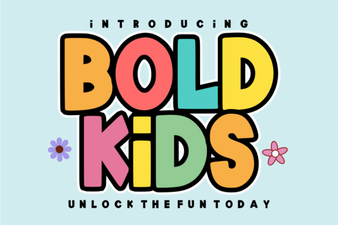 Bold Fonts for Kids: Creative Projects & Design Ideas
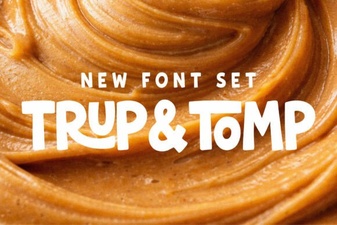 Typography Projects: Using the Trup & Tomp Font
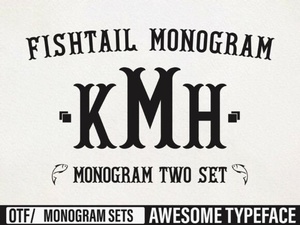 Craft Elegant Projects with Fishtail Monogram Font
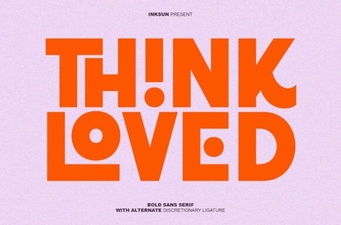 Think Loved Font: Perfect for Personal and Creative Projects